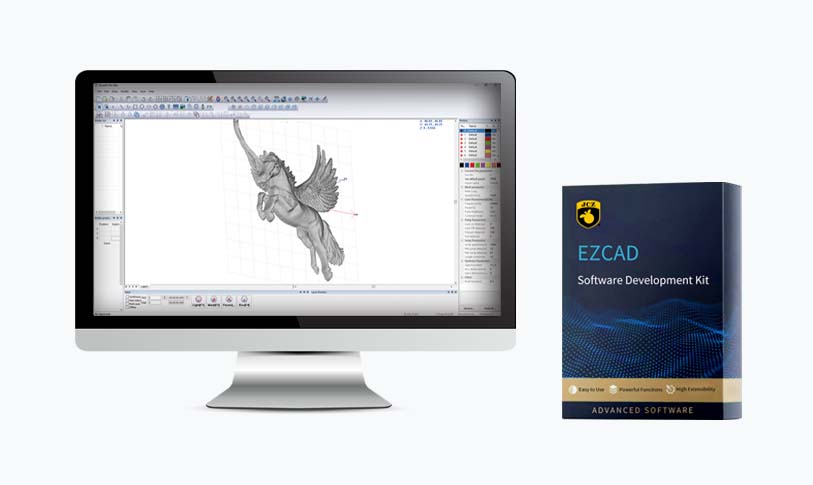
[engraving machine software]Unlocking Creativity with Powerful Engraving Machine Software: A Guide to Choosing the Best Tools for Your Projects
News 2024-10-21

Unlocking Creativity with Powerful Engraving Machine Software: A Guide to Choosing the Best Tools for Your Projects

Unlocking Creativity with Powerful Engraving Machine Software: A Guide to Choosing the Best Tools for Your Projects
The Importance of Engraving Machine Software
Engraving machine software is designed to control CNC (Computer Numerical Control) machines, allowing users to create detailed engravings on various materials such as wood, acrylic, plastic, glass, and metal. Unlike traditional engraving methods that require hand tools and a keen eye for detail, engraving machine software enables precision and repeatability—qualities that are essential for both small-scale crafts and large-scale manufacturing.
With the advancements in technology, modern engraving machines often come equipped with sophisticated software that includes a user-friendly interface, enabling even those with minimal technical skills to craft impressive designs. This transformation has opened the door to new possibilities in personal and professional projects.
Key Features to Look for in Engraving Machine Software
1. **User-Friendly Interface:** A straightforward and intuitive interface is crucial for users at all skill levels. Look for software that provides clear navigation, easy access to tools, and helpful tutorials to get you started.
2. **Design Capabilities:** The ability to import, create, and edit designs is vital. Most software should support common file formats like DXF, SVG, and AI, allowing you to work seamlessly with other design tools.
3. **Toolpath Generation:** Efficient toolpath generation is essential for maintaining the quality of your engravings while minimizing material waste. Good engraving software should allow you to preview toolpaths to ensure everything looks correct before starting the engraving process.
4. **Material Compatibility:** Different materials require different engraving approaches. Software that includes settings for various materials will help you achieve the best results, whether you are engraving on glass or cutting wood.
5. **Editing Tools:** Robust editing tools that allow you to manipulate, resize, and adjust designs are necessary for refining your artwork. Features such as layers, grouping, and color customization can make your design process more efficient.
6. **Support and Community:** Choose software with a reliable support system, whether through the manufacturer or a community of users. This can be invaluable for troubleshooting and learning how to maximize the software’s capabilities.
Popular Engraving Machine Software Options
There are several types of engraving machine software available that cater to various user needs—whether you are a professional or a hobbyist. Here are a few popular options:
1. **LightBurn:** This software is known for its versatility and ease of use. It supports a wide range of lasers and is compatible with various file formats, making it a favorite among home users and professionals alike.
2. **CorelDRAW:** A staple in the design community, CorelDRAW is powerful graphic design software that works well with engraving machines. It offers extensive design tools, which are perfect for intricate designs.
3. **Easel:** A great option for those starting with CNC engraving, Easel is an intuitive web-based software that allows users to design and carve directly from their web browsers.
4. **Inkscape:** This open-source vector graphics editor offers many design tools and is ideal for users seeking a budget-friendly option without sacrificing functionality.
5. **Fusion 360:** Known for its engineering and CAD capabilities, Fusion 360 is also a solid choice for advanced engravings, particularly when combining artistic designs with engineering specifications.
Tips for Maximizing Your Engraving Projects
1. **Experiment with Different Materials:** Different materials yield different results. Spend time trying out various substrates to see which one complements your design intentions the best.
2. **Practice Makes Perfect:** If you're new to engraving, start with simple projects. Practicing on scrap material gives you the chance to hone your skills without the pressure of ruining your final pieces.
3. **Explore Online Resources:** Engage with online forums, tutorials, and videos. A wealth of resources can be found online that caters to various software and machine types.
4. **Stay Updated:** Software updates can include new features or enhancements. Regularly check for updates to ensure you have access to the latest tools that can improve your engraving processes.
5. **Network with Other Users:** Join online groups or local clubs focused on engraving or CNC machining. Sharing experiences and tips with others can greatly enhance your understanding and skills.
Conclusion